
-
First at all you need to upgrade the unit firmware to the latest release, at this moment is the 1.16.2, that allow you to do this operation.
-
NOTE: if your unit already has the 1.16.2 release or above then skip this procedure and go to the next page.
-
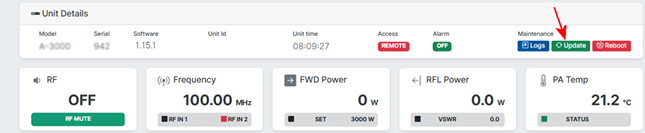
In the dashboard of the web GUI click in the green square indicated in the picture
-
Download the firmware with this link: https://aquabroadcast.co.uk/files/attachments/cobalt_firmware.zip
-
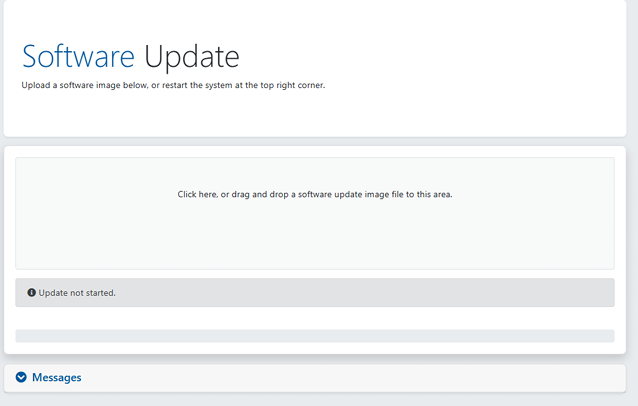
Then drag & drop the file in the following window that opens after you click the button above
-
The upgrade of the firmware will start immediately, and a progress bar will show the status.
-
After the upgrade completes the unit will reboot automatically.
-
NOTE: all the previous settings of the unit will be NOT deleted.
-
Reconnect to the unit to check the new software release in the dashboard.
-
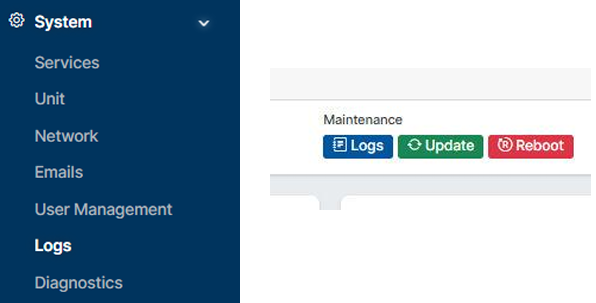
Enter in the side menu SYSTEM/LOGS, or click the blue button LOGS in the dashboard
-
At the end of the LOGS daily list you find the CRASH-LOGS file collector:
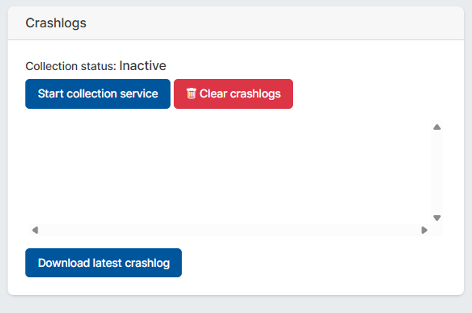
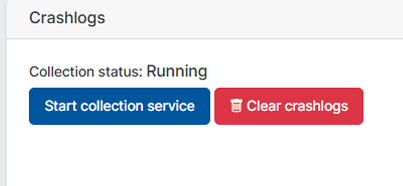
- Now click on the button START COLLECTION SERVICE and the status will change from INACTIVE to PENDING then RUNNING while it is collecting the data.
- Once it ended the collection the status will change to INACTIVE again and a file name will appear.
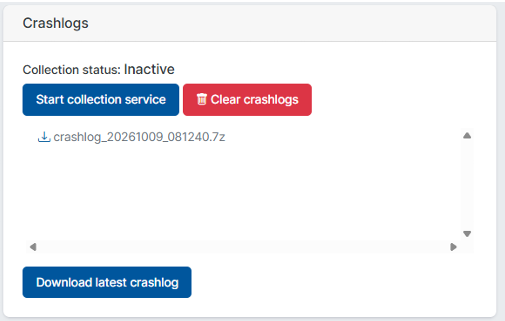
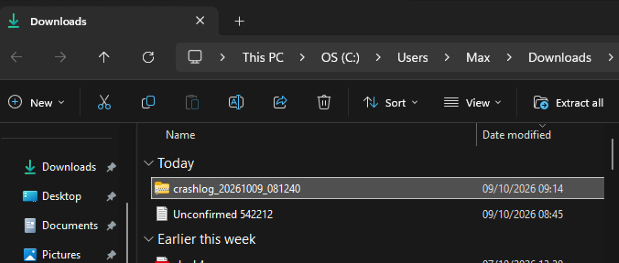
- Now click on DOWNLOAD and the file will be downloaded in your DOWNLOADS folder of your computer.
- NOTE: Some computer antivirus may ask if you want to keep this file before downloading as it is a compressed file, the file is safe to download.
-
Send this file to us by email at support@aquabroadcast.co.uk to be examined.